
Your home exercises, with a coach that watches every rep.
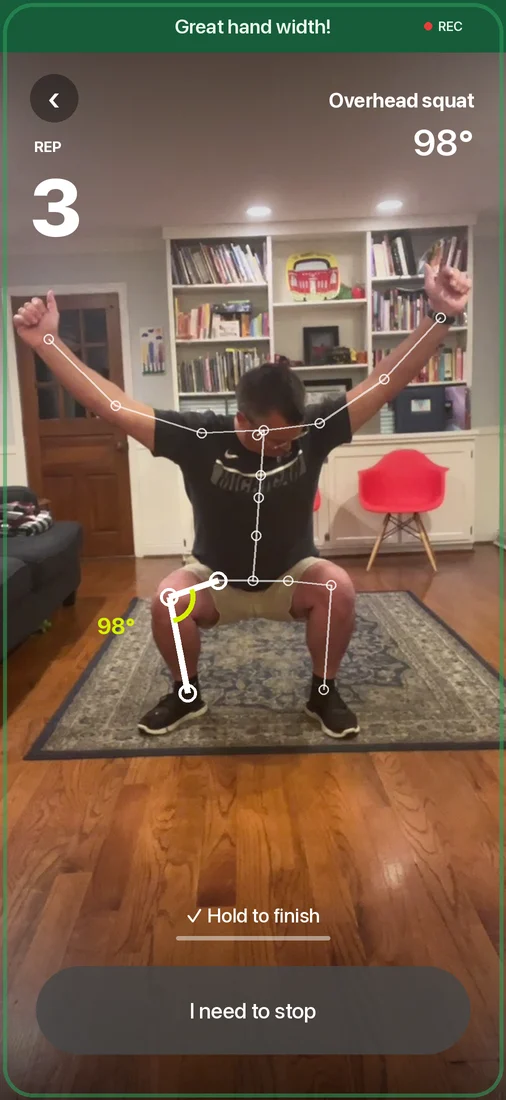
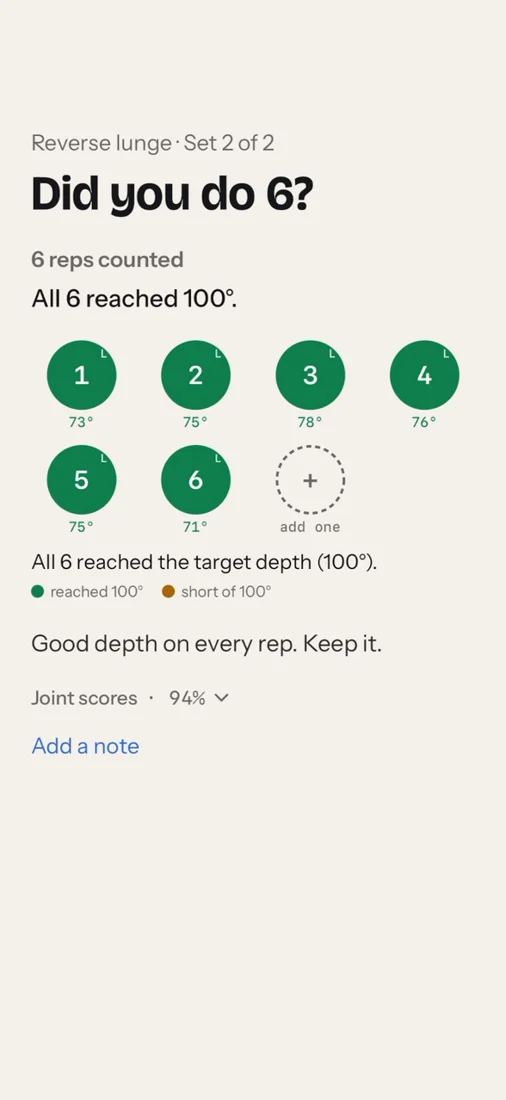
SCRENR turns your phone into a guide for the plan your physical therapist set. It counts each rep, tells you when to go deeper or slow down, and lets your therapist see how it really went.
Using SCRENR? Your clinic will text you a sign-in code.
How a session works
- 1
Your clinic sends a text
Your therapist enrolls you and you get a text with a code. Sign in with your phone number; your plan is already there.
- 2
Stand the phone up and step back
The app shows you where to stand. It finds you, counts down, and starts when you're in place.
- 3
Do the reps, hear the coach
Each rep is counted out loud and corrected while you do it, like a therapist in the room.
- 4
Your therapist sees how it went
Reps, range of motion and any pain you report go to your therapist. The video stays on your phone.
Questions patients ask
- Does anyone watch me through the camera?
- No. The phone works out your joint positions on the device itself. No video is sent anywhere and nobody watches live.
- What do I need?
- An iPhone, some floor space and something to lean the phone against at about waist height. A small tripod helps.
- How do I get the app?
- Through your clinic. Your therapist sets up your plan and sends you a text with a code to sign in.
- What if something hurts?
- Stop and tell the app how bad it is. Your therapist sees it, and anything severe is flagged for them to follow up.
Are you a clinic? Book a demo to see how SCRENR works for your patients.